
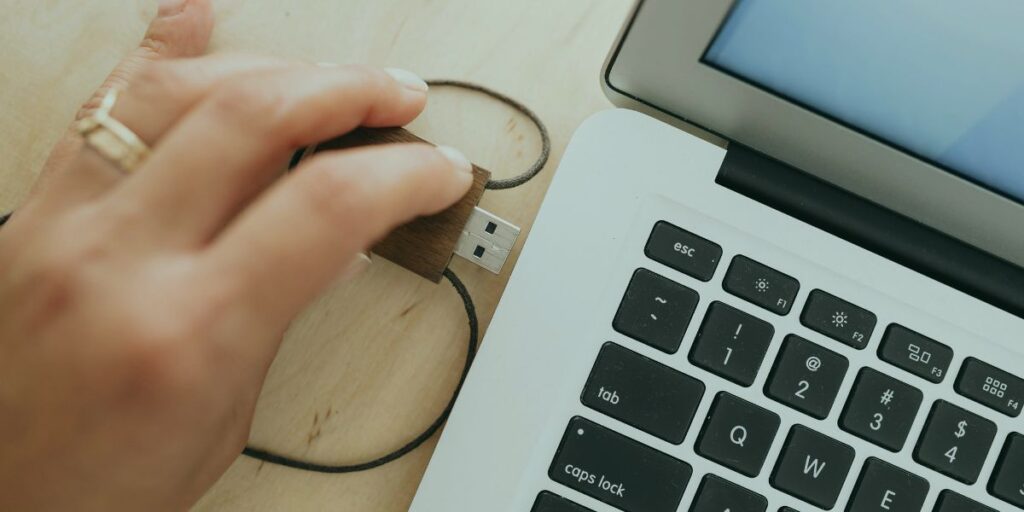
A broadband dongle connects you to the internet using mobile phone networks instead of underground cables. You slot a SIM card into a small piece of hardware, it picks up a 4G or 5G signal, and it translates that signal into an internet connection for your devices.
You do not need a landline to use one. If you have a decent mobile signal in your house, you can get online. This makes mobile broadband a popular choice for renters avoiding long contracts, remote workers needing backup internet, and people living in areas where traditional fixed-line cables deliver poor speeds.
But the term ‘dongle’ gets thrown around loosely to describe several very different pieces of equipment. Getting the wrong one means wasting money on hardware that won’t meet your needs. Here is exactly how they differ and how to decide what works for your situation.
The Hardware: USB Dongles, MiFi, and Home Routers
When people talk about a dongle, they usually mean one of three distinct devices. Each does the same basic job of pulling data from a mobile mast, but they handle the connection to your devices differently.
USB Dongles
This is the classic stick that looks like a USB flash drive. You plug it directly into the USB port of a laptop or desktop computer. The major limitation here is that a USB dongle connects directly to a computer and the internet connection is not shared wirelessly. If you plug it into your laptop, your phone and tablet cannot use the connection. It is strictly a one-device solution.
MiFi (Wi-Fi Dongles)
A MiFi device is a small, battery-powered box that acts as a portable Wi-Fi hotspot. Instead of plugging into a computer, you turn it on, and it creates a wireless network that multiple devices can join. According to data from broadband.co.uk, these Wi-Fi dongles typically support 5 to 10 simultaneously connected devices. Because they run on batteries, you can throw a MiFi in your bag and use it on a train or in a cafe.
4G and 5G Home Routers
These look like the standard broadband router you get from BT or Sky. They plug into a mains power socket and are designed to stay in one place. They have much stronger internal antennas than a USB stick or MiFi box, meaning they provide better coverage throughout a house and can handle dozens of devices at once. If you want to replace your home broadband entirely, this is the hardware you need.
Speeds and Coverage in the Real World
Your experience with a broadband dongle depends entirely on network coverage and signal strength. If your mobile phone struggles to load a web page in your living room, a dongle on the same network will struggle too.
The latest Ofcom Connected Nations report shows that 4G population coverage outside premises sits at over 99% across the UK. Meanwhile, 5G is expanding rapidly, available outside around 85% of premises. This means most homes can access mobile broadband, but the speed you actually get will vary wildly based on your exact location.
For context, Ofcom puts the average UK fixed-line broadband download speed at roughly 69.4Mbps. A standard 4G dongle will typically give you somewhere between 20Mbps and 40Mbps. That is plenty for streaming Netflix, browsing, and video calls.
If you can get a 5G signal, the speeds jump significantly. Three’s 5G home broadband delivers average download speeds of approximately 150Mbps where 5G coverage is available. That easily outperforms many basic fixed-line fibre connections.
Signal quality is affected by the distance to the nearest mobile mast, thick stone walls, and even heavy rain. If you live in a low-coverage area but want to use a home router, external aerials can be used to boost signal strength. You mount these on the side of your house and run a cable directly into the back of your 4G or 5G router.
Contracts and Costs: Paying for Mobile Broadband
You have three main ways to pay for mobile broadband. The right choice depends on whether you already own the hardware and how long you need the connection.
Plan Type How It Works Typical Cost for Unlimited Data Pay As You Go (PAYG) You buy a SIM card, top it up with credit or a 30-day bundle, and stop paying whenever you want. Ideal for occasional use. £30 to £35 per month. Hardware costs extra upfront. SIM-Only (30-day or 12-month) You sign a short contract for the SIM card only. You must provide your own unlocked dongle or router. £20 to £30 per month. Fixed-Term Hardware Contract The network provides the dongle or router for free, but you sign a 12 or 24-month contract. As low as £15 to £25 per month.
UK networks price these very differently. If you look at standard SIM-only plans for a dongle you already own, an unlimited data plan on Vodafone typically sits around £26 a month. EE often charges closer to £30 for their premium unlimited SIMs. Three generally undercuts the market, offering unlimited data SIMs around the £20 mark.
If you want the network to provide the hardware, signing a longer deal drops the monthly price. Three’s 4G/5G unlimited home broadband starts from £15 a month on a 24-month contract with no upfront cost. Just remember that signing a 24-month deal defeats the main advantage of mobile broadband if you only need it as a short-term stopgap.
When a Dongle Makes Sense
Mobile broadband shines when flexibility is your priority. If you are renting a flat on a six-month lease, setting up fixed-line broadband involves installation delays and exit fees when you move. A MiFi or 5G router arrives in the post the next day, you plug it in, and you take it with you when you leave.
It is also a highly effective solution for rural homes suffering from terrible copper wire speeds. If your fixed line barely manages 5Mbps, a 4G router could easily quadruple your speed. You can read more about evaluating the best broadband for rural areas to see if this fits your situation.
If you live entirely off the grid where even 4G fails, you will need to look at satellite internet instead.
When Fixed-Line is the Better Choice
A dongle is not a magic fix for everyone. If you are a heavy gamer, mobile broadband introduces higher latency (ping) than a fixed line. This causes noticeable lag in fast-paced online games.
Fixed-line broadband is also generally more stable. Mobile network speeds fluctuate depending on how many people in your area are using the local mast at that exact moment. If you need a guaranteed, rock-solid connection for critical work tasks, a wired connection is still the safest bet.
Smartphone Tethering: The Free Alternative
Before you spend money on hardware, check your phone. Smartphone tethering functions as a dongle alternative without requiring additional hardware. You simply turn on the personal hotspot feature in your phone settings, and your phone broadcasts a Wi-Fi network that your laptop can join.
If you only need internet for a weekend away or a brief broadband outage at home, tethering is the smartest move. Just check your mobile contract first to ensure you have enough data allowance to cover laptop usage, as desktop websites burn through data much faster than mobile apps.
Checklist: Do This Before Buying
If you have decided a broadband dongle or 4G/5G router is the right move, run through this checklist before handing over your card details.
- Check local coverage: Do not guess. Go to the coverage checker on the EE, Vodafone, Three, and O2 websites. Put in your postcode and check both 4G and 5G indoor coverage. Buy a plan on the network with the strongest signal at your address.
- Verify the hardware: If you buy a plan with a USB dongle, remember it only connects one laptop. If you want to connect your TV and phone, you need a MiFi or home router.
- Look for unlocked devices: If you buy a MiFi device from Amazon outright, make sure it is unlocked. This lets you put any network’s SIM card inside, meaning you can easily switch to a cheaper deal later.
- Read the data limits: Unlimited data means unlimited. But if you buy a cheaper 50GB plan, be aware that streaming Netflix in HD uses about 3GB per hour. The data will vanish quickly if used as your main home connection.
If you already own an unlocked dongle or router and just need the connection, you should compare SIM-only deals to find the best data allowance for your budget.
If you are still unsure whether mobile broadband beats what you can get through the wall, take two minutes to check broadband in your area. You might find that full-fibre has recently arrived on your street, making a standard fixed-line deal the logical choice. If it has, you can then compare broadband deals to see exactly what speeds and prices are available.